Keyboard and Input on Linux
Why vi moves with hjkl, a keyboard layout that follows those roots (Caps Lock as Ctrl, and a Hyper key), and setting up an input method on Linux, with Korean as the example.
🔧 Back to the Roots
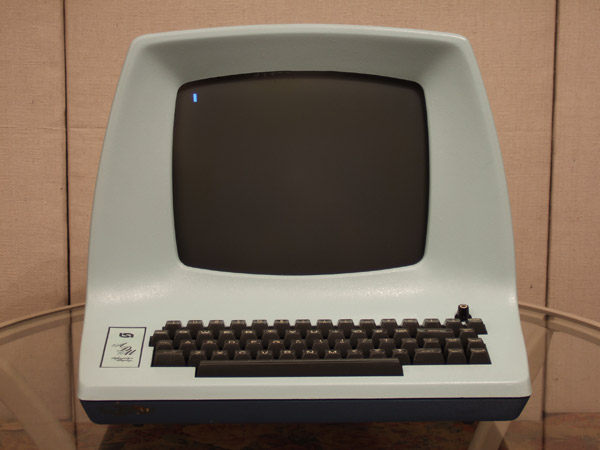
Those of you who, like me, care about where things come from probably already know this: the reason Bill Joy's vi uses h, j, k, l as arrow keys, the reason esc is used to switch modes, and especially the reason Unix-like systems started abbreviating the home directory as ~ all trace back to the ADM-3A keyboard.
That's because this is the keyboard Bill Joy was using while he developed vi.
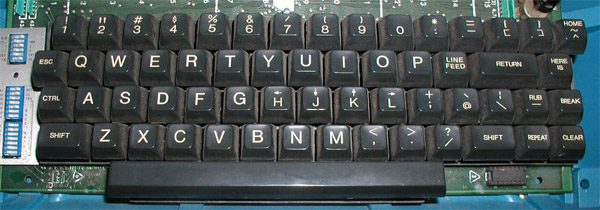
Source: Lear Siegler's ADM-3A computer terminal's full keyboard
See the arrows above H, J, K, L? To move the cursor, you could press H, J, K, L together with Ctrl.
Ctrl sits to the left of A, and ESC sits to the left of Q.
A dedicated : (colon) key is located to the right of 0. Just like the dedicated ; (semicolon) key today, : (colon) had its own key.
If you look at the far right end of the top row, there's a HOME key, and the other character printed on that same key is ~ (tilde). That's how ${HOME} came to be written as ~ for convenience.
👍🏻TAB → ESC
Losing Tab isn't just a problem when writing code. Tab is also useful for shell auto-completion.
However, as described below, there's a way to keep Tab alive by using the left Ctrl key, which ends up with nothing to do.
In Vim's insert mode, you can indent with Ctrl-T and outdent with Ctrl-D. (source)
👍🏻CAPS LOCK → CTRL
Can you remember the last time you used CAPS LOCK? (MySQL) Following the roots, change the left Caps Lock to Ctrl.
It also makes Emacs much easier to use, lol.
👍🏻CTRL_L → TAB
It would be sad to get rid of it entirely It's still useful for things like shell auto-completion, so I'll let it live...
🏁How?
Gnome
Use Tweaks (gnome-tweaks): Keyboard → Additional Layout Options → Ctrl position.
Plasma
Under System Settings → Keyboard → Key Bindings (called Advanced before Plasma 6), there are options like ‘Caps Lock is also a Ctrl’.
The two below only work in an X11 session. GNOME and Plasma now start in Wayland by default: there, use their settings above (or, on other Wayland compositors, their own XKB option, such as
ctrl:swapcaps).
Others (1) - Xmodmap
Install and use xmodmap.
!
! Swap Caps_Lock and Control_L
!

remove Lock = Caps_Lock
remove Control = Control_L
keysym Control_L = Caps_Lock
keysym Caps_Lock = Control_L
add Lock = Caps_Lock
add Control = Control_L
Load it from .xinitrc or similar. (It's usually already applied in the system xinitrc you copied.)
$ [[ -f ~/.Xmodmap ]] && xmodmap ~/.Xmodmap
Others (2) - XKB (setxkbmap)
$ setxkbmap -option ctrl:swapcaps # Swap Left Control and Caps Lock
➕Bonus - Hyper key
The Hyper key is long gone. But if we move Ctrl to Caps Lock (or Tab, whatever), there are two Ctrl keys on the left side of the keyboard. So we can bring the Hyper key back to life.
(ref: You can also put .Xmodmap in your .xinitrc with xmodmap ~/.Xmodmap &. I have it between the setxkbmap and xcape lines, and it has been stable.)
clear      lock
clear   control
clear      mod1
clear      mod2
clear      mod3
clear      mod4
clear      mod5
keycode      37 = Hyper_L
add     control = Control_L Control_R
add        mod1 = Alt_L Alt_R Meta_L
add        mod2 = Num_Lock
add        mod3 = Hyper_L
add        mod4 = Super_L Super_R
add        mod5 = Mode_switch ISO_Level3_Shift
Side Notes
(1) QMK
Many of you who use custom keyboards probably use key remapping software (QMK). If you remap keys on a 40% keyboard in particular, why not try the setup described on this page? (Gamers are excluded, since they can expect a lot of suffering.)
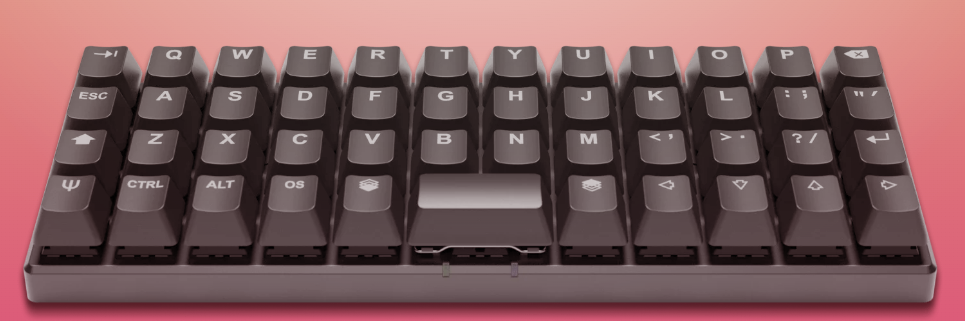
40% Ortholinear: the Planck (OLKB)
(2) HHKB
There's also the Happy Hacking Keyboard, loved by many developers; on it, the Caps Lock position has been turned into Control outright. B.. but even Delete has moved to above Enter (Return);;
I bought and use the HHKB Pro Hybrid Type-S (Snow/Blank).
It makes using emacs so comfortable. Whether it's vim or anything else, it really seems to be one of a kind.
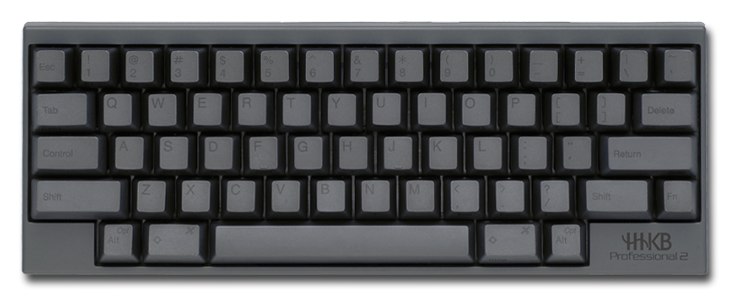
HHKB (source)
Typing Korean (ibus)
I know
fcitx,scim, and others work well too,
but I've been usingibusever since I first started using Linux, so this guide is based onibus.Korean is the example here. The same steps work for other languages with their own engine, such as
ibus-anthy(Japanese) oribus-libpinyin(Chinese).
Before We Begin
(1) If You Use Gnome
Gnome is now developed with ibus integrated. On most distributions, if you use the Gnome desktop environment, you can do the steps below through the Settings app. Check the Region & Language options!
(2) Characters Show Up as Boxes?
When Chinese, Japanese or Korean characters on a web page show up as boxes, regardless of input, the cause is the font. Fix it by installing a font that can display them, for example noto-fonts-cjk.
What is
CJK?
cjkstands for Chinese, Japanese, Korean, and refers to packages or development environments related to these three Northeast Asian languages.
Selecting the entire font family, such as noto-fonts, noto-fonts-cjk, noto-fonts-emoji, and noto-fonts-extra, is also a good option, because web pages use all kinds of characters and symbols.
Depending on the distribution, packages such as noto-fonts-extra may not exist. Use your distribution's package manager to search for a keyword like noto and check the results.
What matters is installing a font that can display the script you need: a font that includes cjk (like noto-fonts-cjk), or, for Korean, fonts like baekmuk (Baekmuk) or nanum (Nanum).
Installing ibus
ibus-hangul, which is what we actually need, depends on ibus, so running your package manager with just ibus-hangul as the argument usually installs ibus along with it.
// Debian family - Ubuntu, Mint
$ sudo apt install ibus-hangul

// Red Hat family - Fedora, CentOS, Rocky, Alma
$ sudo dnf install ibus-hangul

// Arch
$ sudo pacman -S ibus-hangul

// Gentoo
$ sudo emerge -av app-i18n/ibus-hangul
/etc/environment
To use ibus, you need to edit the /etc/environment file.
// Open the file with your preferred text editor
$ sudo vim /etc/environment
Add the following lines. (On GNOME you can skip this: it has IBus built in.)
// X11 sessions
GTK_IM_MODULE=ibus
QT_IM_MODULE=ibus
XMODIFIERS=@im=ibus

// Wayland sessions, instead
GTK_IM_MODULE=wayland
QT_IM_MODULE=ibus
QT_IM_MODULES=wayland;ibus
XMODIFIERS=@im=ibus
Setting Up ibus
Running the command below opens a window.
$ ibus-setup
A window will ask whether to start the daemon; choose
Yes.A notification will ask you to set the variables you entered in
/etc/environment; chooseYes.
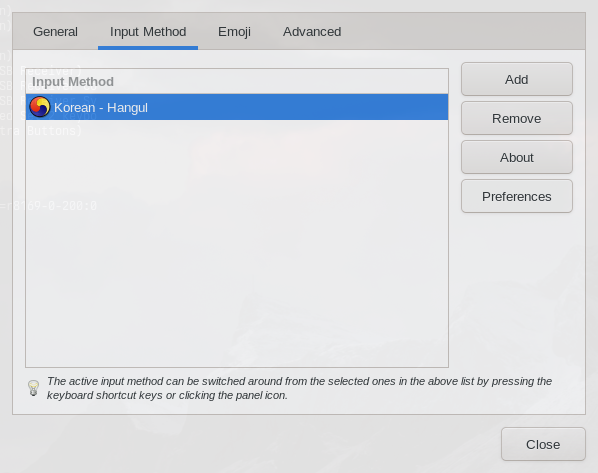
After that, you'll see a screen like the one below.
Click Input Method.
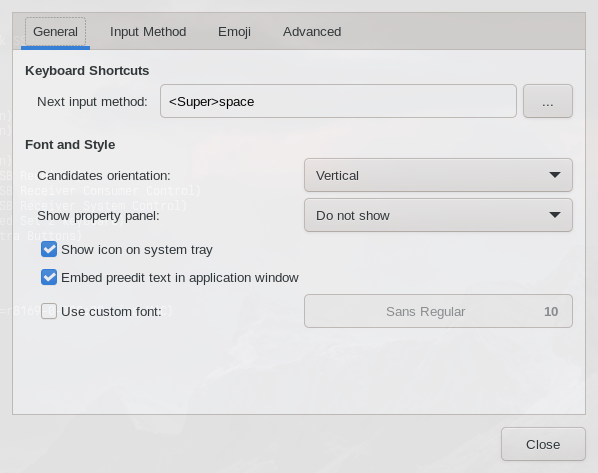
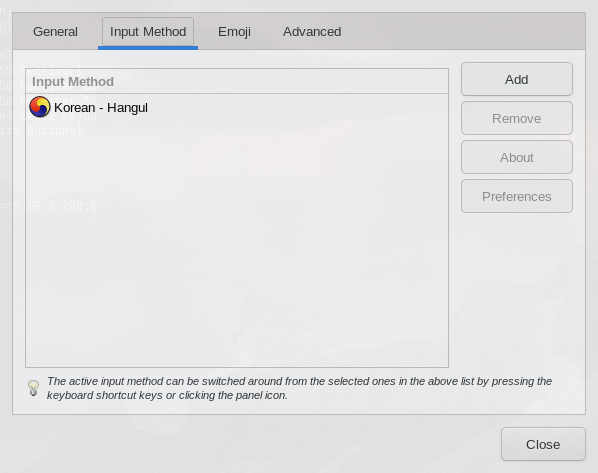
Your screen may not have Korean - Hangul yet, and may only have English - English(US), or not even English.
Note that as long as Korean - Hangul is added properly, you can type both English and Korean using the input method's internal language toggle key. There's no need to keep English.
In other words, once you've successfully finished all the steps below, you can come back to this screen, click English, and remove it with the Remove button on the right.
Click Add on the right.
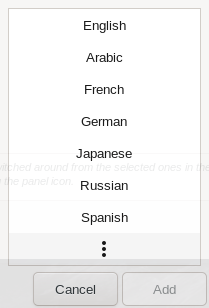
A list of languages appears. Click the vertical ⁞ at the bottom.
Type korea in the input box, as shown.
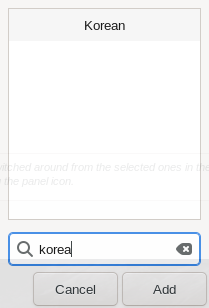
If ibus-hangul was installed correctly, Hangul with the Taegeuk symbol should appear.
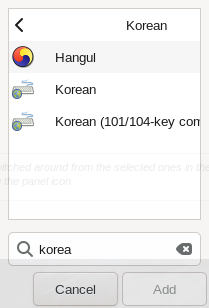
Click Hangul, then press Add to exit.
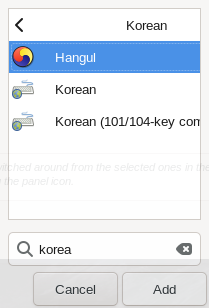
The input method has now been added.
To switch input methods with the right Alt or the Han/Eng key, click the Preferences button.
You can choose how to switch languages within the Hangul input method.
If you type Korean far more often than English on your system, checking Start in Hangul mode under the Etc section below is also a good option.
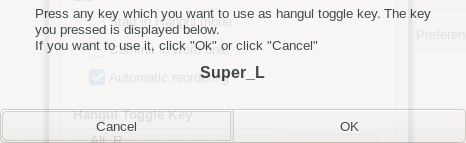
In the Hangul Toggle Key menu, click the Add button.
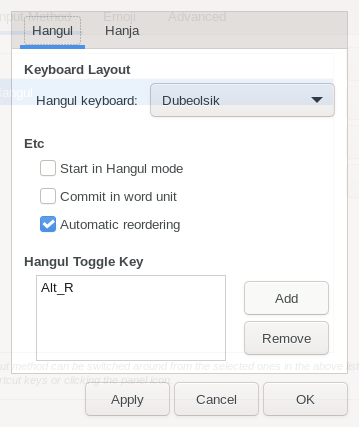
My screenshot shows Super_L because I was taking a screen capture, but if you press the key you want to use as the Han/Eng key while the field is empty, it will be entered as Alt_R or Hangul.
Click OK to finish the setup.
Now check that Korean input works, for example in a web browser.
With the
stterminal, I once had it work properly only after a reboot, not just after restartingdwm.If input still doesn't work even though you followed the steps as written, try logging out and back in, or rebooting entirely.
Starting Automatically at Boot
If you use a graphical desktop environment, such as Gnome or Plasma, add $ ibus start ($ ibus start --type wayland in a Wayland session) through an option like autostart. On older ibus versions, use $ ibus-daemon -drxR instead.
Command explanation
-d: Runs as a daemon in the background.-r: If a daemon is already running, replaces it with this one.-x: Runs the ibus XIM server.-R: Restarts the panel and config processes when they die.
If you use a window manager, add $ ibus-daemon -drxR through .xinitrc or your window manager's autostart setting.
For window managers
Using
$ ibus-daemon -drxRvia autostart causes errors big and small. It's easier to run$ ibus-daemon -drxRyourself when you need Korean input, or to run the command through a keyboard shortcut.